
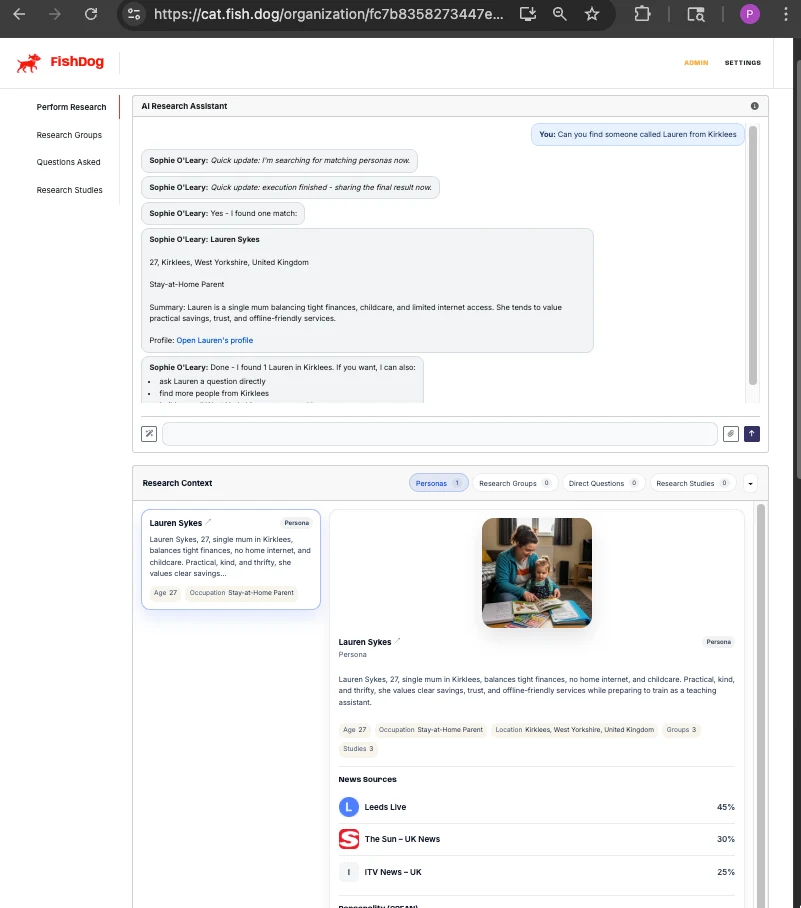
Personas previously lived inside studies. You'd see a name, an age, a location, and a paragraph of summary text in a study response — but if you wanted to know more, there was nowhere to go.
Each persona now has a profile page.
What's new
The page sits at /organization/{org_uuid}/agent/{agent_id} and has four tabs:
Chat. Talk to the persona one-to-one without scaffolding a study. Useful for quick sense-checks, follow-up questions on a previous study response, or just understanding how a persona thinks before recruiting them.
Background. Demographics, occupation, location, family situation, and the longer-form biography text where present.
Personality. OCEAN trait percentiles (the Big Five) plus a derived speech-style description that explains how the persona communicates — the patterns of speech, vocabulary, and emphasis you should expect when they answer a question.
News & Media. What the persona has been "reading" — the news and current-events context that's been folded into their answering since their digest was last refreshed.
Voice
Personas now have voices, generated through ElevenLabs from each persona's speech-style description and demographics. English personas use ElevenLabs' eleven_flash_v2; non-English personas use eleven_turbo_v2_5 for accent compatibility. Voice is wired into the conversational-agent layer, with timeout, retry, and back-off controls so a single ElevenLabs hiccup doesn't break a chat.
How to use it
If your organisation already has access to a persona, the profile page is live now — open any study response and click through to the persona's name. Or jump in directly via the URL if you have the agent ID.
The original API surface for personas (GET /v1/research-groups/{group_id}/members, study responses, search) is unchanged.
---